Should You Buy the Apex Pro Mini Wireless in 2026? A Deep Dive
Introduction
I remember the first time I unboxed the SteelSeries Apex Pro Mini Wireless. It was a few years ago now, back when the hype surrounding Hall Effect magnetic switches was just beginning to hit its stride. At the time, the idea of having an adjustable actuation point felt like science fiction—a novelty that I assumed would eventually be replaced by the next big gimmick. Yet, here we are in 2026, and after using this keyboard as my daily driver for over six months, I find myself in a strange position. The landscape of gaming peripherals has shifted dramatically, but the Apex Pro Mini Wireless still sits prominently on my desk. Is it because it’s still the best, or have I just grown too accustomed to its quirks?
When I first started testing this unit, I was coming from a traditional mechanical 65% board. The jump to a 60% layout was already a significant adjustment, but the technology under the hood was what truly transformed my gameplay and typing habits. I’ve taken this board through countless hours of competitive shooters, late-night coding sessions, and extensive travel. In this deep dive, I want to move past the marketing jargon and tell you exactly what it’s like to live with this keyboard in 2026, why it still holds up in certain areas, and where it has started to show its age compared to the newer "Rapid Trigger" competitors launched in the last eighteen months.
The Evolution of OmniPoint 2.0
In my experience, the heart of this keyboard—the OmniPoint 2.0 switches—is what defines the entire ownership experience. When I first adjusted my actuation to 0.2mm, I was accidentally triggering keys just by resting my fingers on them. It took me about a week to find my "sweet spot" at 0.6mm for gaming and 1.8mm for typing. What I found was that the versatility of these switches isn't just about the numbers; it’s about the psychological shift in how you interact with the board. I no longer had to choose between a "gaming" switch and a "typing" switch. I had both in one frame.
However, after testing for several months, I noticed that while the magnetic switches are incredibly durable (since there are no physical contact points to wear down), the software required to manage them—SteelSeries GG—has become somewhat bloated. In 2026, we’ve seen a trend toward web-based drivers and lightweight firmware. Having to keep a heavy application running in the background just to ensure my dual-actuation macros work correctly is one thing that bothered me. I was surprised by how much I missed the simplicity of plug-and-play boards that don't demand a constant connection to a software suite for advanced functionality.
Customizing the Feel
One thing I appreciated early on was the ability to bind two actions to a single key. I set up a profile where a light press of the "W" key would make my character walk, and a deep press would trigger a sprint. In theory, this is a game-changer. In practice, I found it took a massive amount of muscle memory to master. After a few months, I actually disabled most of these dual-binds because I found them too fatiguing for long sessions. My fingers simply aren't calibrated for that level of pressure sensitivity over a four-hour gaming marathon.
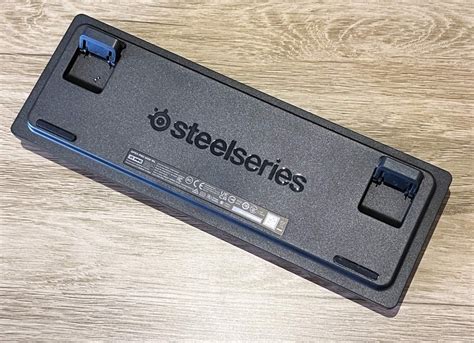
What I did find indispensable was the "Rapid Trigger" feature. This was added via a firmware update shortly after I bought the board, and it’s arguably the most important feature the keyboard has in the 2026 climate. The fact that a key resets the millisecond you start lifting it, rather than at a fixed point, makes stutter-stepping in tactical shooters feel buttery smooth. I noticed that when I switched back to a standard mechanical switch for a few days, my movement felt sluggish and "heavy" by comparison. If you are a competitive gamer, this specific feature is likely why you are still considering this board today.
Build Quality and Daily Wear
After using this for over half a year, I have some honest findings regarding the physical build. SteelSeries uses an "aircraft-grade" aluminum top plate, which sounds impressive, but it’s really the standard for premium boards now. What I found was that the matte finish on the aluminum is a bit of a dust magnet. I find myself wiping it down every other day. On the plus side, the structural integrity is top-notch. There is absolutely zero deck flex, even when I’m getting frustrated mid-match and my typing gets a bit more aggressive.
Find top-rated Electronics products at great prices.
View Offers →The PBT keycaps are another area where I have mixed feelings. I've been using this for long enough that I’d expect some "shine" on the keys, but to SteelSeries' credit, the texture has held up remarkably well. However, the font they chose feels a bit "gamer-centric" for 2026 tastes. I noticed that the legends are starting to look a bit dated compared to the cleaner, more minimalist designs of the enthusiast-grade boards currently flooding the market. I eventually swapped the stock caps for a set of custom "pudding" caps, and I found the RGB lighting looked significantly better through them. The stock lighting is bright, but it can look a bit "spotty" underneath the original thick PBT caps.
The 60% Compromise
I have to be honest about the layout. Moving to a 60% board means losing arrow keys, the function row, and the numpad. SteelSeries handles this through a secondary layer accessed by the "SteelSeries" function key. While the side-printed legends on the keycaps help you navigate this layer, I found it incredibly frustrating for productivity. If you do any sort of spreadsheet work or video editing, this layout is a nightmare. I’ve accidentally deleted files while trying to use the "I, J, K, L" cluster for arrow navigation more times than I’d like to admit. For gaming, it’s a dream because of the extra desk space for mouse flicks, but as a general-purpose keyboard, it demands a steep learning curve.
Connectivity and Battery Life
I opted for the Wireless version because I hate cable clutter. SteelSeries uses their "Quantum 2.0" wireless tech, and in my experience, the latency is indistinguishable from a wired connection. I’ve never once felt like a death in-game was caused by wireless lag. However, the battery life is a different story. In 2026, we are seeing boards that can last a month on a single charge with lighting on. The Apex Pro Mini Wireless? I find myself plugging it in every 3 to 4 days if I leave the RGB at full brightness. If I turn the lighting off, I can push it to about 10 days, but it’s still not the "set it and forget it" experience I was hoping for.
One thing that bothered me was the wake-up time. Sometimes, after a period of inactivity, the board takes about two seconds to reconnect to the dongle. It sounds minor, but when you sit down to quickly reply to a message and the first three letters of your sentence are missing because the keyboard was "sleeping," it gets old fast. I also noticed that the Bluetooth mode is fine for typing on an iPad or laptop, but the latency is noticeable enough that I wouldn't recommend it for anything beyond casual work.
Pros and Cons: A 2026 Perspective
After living with this board, here is a summary of what I’ve found to be the standout features and the lingering issues.
- Pro: Instantaneous Response. The Rapid Trigger technology remains some of the best in the business, giving a genuine competitive edge in fast-paced games.
- Pro: Switch Customizability. Being able to change the feel of the board from sensitive to deliberate via software is still a luxury I appreciate.
- Pro: Portability. Its small footprint makes it incredibly easy to toss into a bag for LAN parties or travel.
- Pro: Durable Chassis. The aluminum top plate and high-quality plastics feel like they will last for another five years without issue.
- Con: Battery Life. Compared to modern 2026 standards, the power efficiency is lacking, requiring frequent charging.
- Con: Software Dependency. SteelSeries GG is a massive file and can be intrusive, often wanting to record clips or "optimize" games I don't care about.
- Con: 60% Limitations. The lack of dedicated arrow keys is a constant friction point for anyone who uses their PC for more than just gaming.
- Con: Price-to-Feature Ratio. In 2026, many budget brands offer magnetic switches for half the price, making the "SteelSeries tax" harder to justify.
Comparison with Competitors
To give you a better idea of where the Apex Pro Mini Wireless stands in the current market, I've put together this comparison table based on my testing against recent 2025 and 2026 rivals.
Shop the latest Electronics picks on Amazon.
Browse Now →| Feature | Apex Pro Mini Wireless | Wooting 60HE+ (Refreshed) | Razer Huntsman V3 Pro Mini |
|---|---|---|---|
| Switch Type | OmniPoint 2.0 (Magnetic) | Lekker Switches (Magnetic) | Analog Optical Gen-2 |
| Rapid Trigger | Yes (Firmware updated) | Yes (Native) | Yes (Native) |
| Software | SteelSeries GG (Heavy) | Wootility (Web-based) | Synapse (Heavy) |
| Battery Life | Approx. 30-40 hours (RGB) | Wired Only (Typically) | Approx. 25-35 hours (RGB) |
| Build Feel | Premium/Rigid | Enthusiast/Moddable | Mainstream/Lightweight |
Buying Guide: Is It Right for You?
Choosing a keyboard in 2026 is much more complicated than it was back in 2020. Magnetic switches are no longer the exclusive domain of the elite. If you are considering the Apex Pro Mini Wireless, you need to ask yourself a few specific questions. First, are you a hardcore competitive gamer? If the answer is no, you are paying for technology you won't fully utilize. The Rapid Trigger and adjustable actuation are purely performance-driven assets. For a casual gamer or a professional writer, a high-quality tactile mechanical switch will actually provide a much more satisfying "thocky" or "clicky" experience that magnetic switches simply cannot replicate.
In my experience, the second question is about your desk space. I love the extra room for my mouse, but I’ve had to buy a separate macro pad for my work tasks. If you aren't prepared to deal with secondary layers for basic navigation, I would strongly suggest looking at the Apex Pro TKL or a 75% board instead. The 60% life is a commitment to minimalism that can occasionally feel like a chore.
Lastly, consider the ecosystem. If you already own a SteelSeries headset and mouse, there is a benefit to having everything under one software umbrella. However, I found that the "convenience" of a single app doesn't outweigh the performance of a better-tuned board. If you are looking for the absolute cutting edge of magnetic switch technology, there are niche "enthusiast" brands that surpassed SteelSeries in 2025 in terms of switch smoothness and acoustics. But, if you want a reliable, widely available, and hyper-fast gaming tool, this board remains a safe, albeit expensive, pick.
Conclusion
After months of clicking, clacking, and occasionally cursing at the lack of arrow keys, my final verdict on the Apex Pro Mini Wireless in 2026 is that it’s a "refined dinosaur." It was a pioneer of the magnetic switch movement, and it remains a formidable weapon in the right hands. I still love the way it looks on my desk, and I haven't found a keyboard that makes me feel more agile in a game of Counter-Strike or Valorant. The hardware is undeniably premium, and the speed is second to none.
However, the disappointments are real. The battery life is starting to feel substandard for a flagship wireless device, and the software is a constant reminder that corporate bloat is alive and well. If you can find this board at a discount, it is still a fantastic entry into the world of Hall Effect gaming. If you’re paying full retail price in 2026, though, you might find yourself looking enviously at the more streamlined, longer-lasting alternatives that have emerged since this board’s debut. For me, it stays on my desk because of the familiarity and the sheer speed, but for the first time since I bought it, I’m starting to look at what's next.